CityDashBoard TalesofThings MapTube
Qrator Tutorials About Digital Urban
MRes ASAV SurveyMapper Contact Us

2006-09-29

Real Time Architectual Visualisation in Oblivion


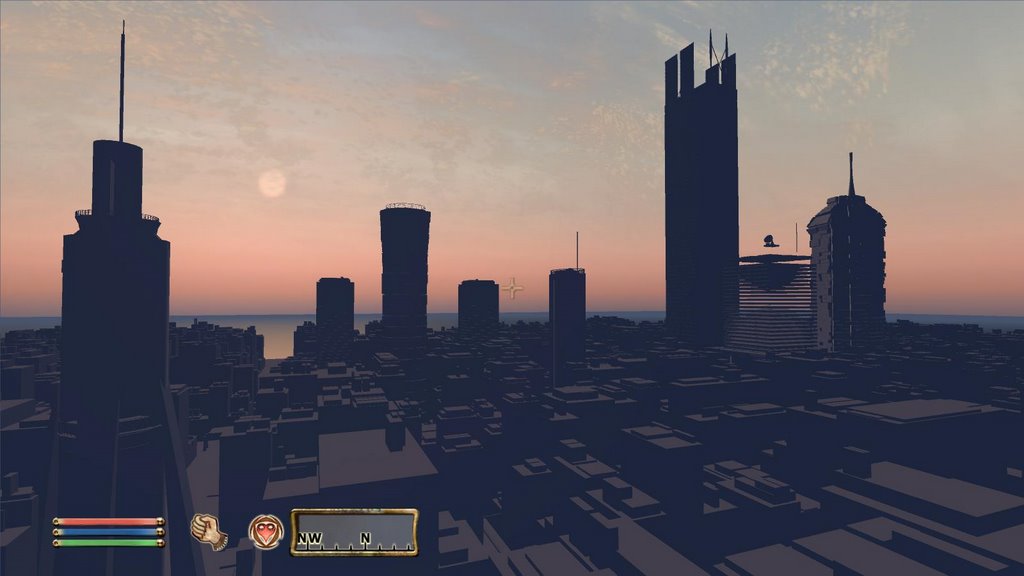
We have built a city as part of our Fantasy Architecture project but until now we have not been able to visualise it in real-time. There are of course high end real-time engines available to architects but these often come at considerable cost. In a series of posts we have been exploring the uses of game engines for architecture, taking this further we are now able to visualise large cityscapes in real-time using Oblivion.


The movie above illustrates the city first with snow fall and then at sunrise, it is still work in progress but for architects the use of a £20 game engine is surely intriguing..

2006-09-28

London Eye Visualisation in Oblivion


Following on from our post on the Quad at University College London in the Oblivion Engine we have run a test on importing raw CAD data. Our beta model of the London Eye imported without error which is encouraging for visualising the London model as a whole.


The movie above demonstrates the London Eye, placed outside the Quad. Note the movie has sound which adds considerably to the sense of place. We couldn't resist the chance to ride up to the London Eye on a horse, where else could you do it but in Oblivion (?).

A higher resolution movie can be downloaded here (37Mb .wmv) a full res version will be available tomorrow once it has processed

Animating Urban Pollution in Google Maps


Richard Milton, a researcher at CASA working on our GeoVUE project (funded by NCESS), has produced an interesting use of Google Maps to visualise urban pollution trails.

As a result of the write up of his work, in New Scientist, the BBC got in touch to film a sequence based on measuring carbon monoxide levels from a cyclists perspective.

The Google Map features a colour coded time line of pollution, animating along the path linked to a java applet. The peak of carbon monoxide emissions is as the presenter got stuck behind a bus..

You can view the Google Maps example from here

Richard has written up his account of the experiment on the CASA Blog.

2006-09-26

Architectual Visualisation in Game Engines - Oblivion


As we mentioned in our post on Half Life 0 Oblivion 1 the engine behind Oblivion offers a lot of potential for architectural visualisation.

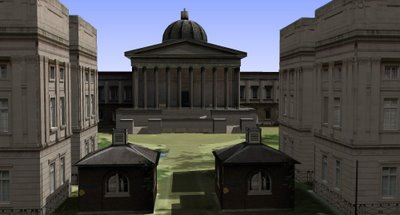
It has taken a couple of days but we finally have first stage work flow for importing models into Oblivion. The movie below shows the first beta output using our model of the Quad at University College London. The start of the movie is slightly dark due to the compression going into YouTube, we cycle through to daylight half way through the movie. A higher resolution version can be downloaded at the end of this post.


The Quad model was built to examine rapid modelling techniques (see our previous entry) for games and Google Earth. By importing it into a games engine it opens up the possibilities to rapidly visualise environments, both urban and rural.

We will put a tutorial online documenting the process as soon as its refined, thanks go to Joel at CASA for his help on the work flow...

Download a compressed version of the movie (16Mb .wmv) or high resolution (96Mb .wmv).

Half Life 0 Oblivion 1 - Half Life Update


Importing into the Half Life 2 Engine has proved slow and problematic. The requirement to create 'qc' files and compile models before even reaching the engine puts time constraints on the process that make it laborious for architectural models to be visualised.

The engine behind the game Oblivion however is a different matter. It is a joy to work with and with the use of plugins a work flow can be produced to visualise models in under an hour.

We are working on it at the moment with our University of London Quad model, a movie will be posted shortly... (Update - a movie is now online on the Oblivion post)

2006-09-25

Google Earth Rapid Modelling - UCL Quad Beta


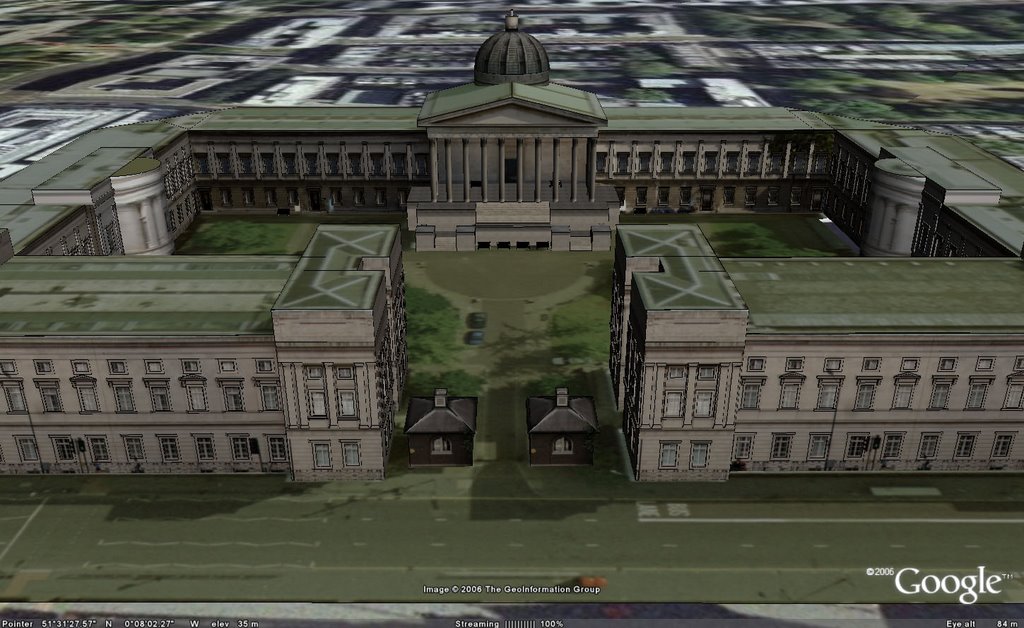
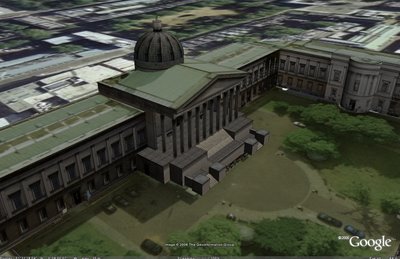
Following on from our post on Photomodelling in Sketchup pictured above is the model in Google Earth (Beta 4). The model is exported 'as is' to examine how Google Earth copes with high resolution textures with Open GL enabled (it crashes in DirectX).


If you have a high powered machine you can download the model from here (10.6Mb). Note the model is for test purposes only and does not portray the final product. At the moment we are using it to produce a work flow for rapid modelling and easy interchange of files formats between various graphics engines.

Any comments are as ever welcome...

2006-09-22

Photomodelling in SketchUp


We have been working on internal software to allow rapid photomodelling in SketchUp. The software allows images to be rectified according to camera lens type to ensure height data can be accurately modelled and mapped in any 3D software package.

A movie of the model to date can be viewed here (167Mb 1280x780 .avi)

Using this technique you can quickly model for applications such as Google Earth or game engines. At the moment we have made good progress with the Oblivion Engine, we will post a movie of this as soon as we can. It is an interesting development route and hopefully opens up the ability to visualise architecture in games.

2006-09-19

Pixel Art in SketchUp

Zonaid has written an excellent tutorial on creating Pixel Art in Photoshop. Following on from yesterdays tutorial on creating Pixel Art we have recreated the building in Sketchup.

SketchUp does not exactly replicate Pixel Art but it is a considerable time saver. You can follow our tutorial to create your own Pixel Art buildings in SketchUp.

The SketchUp SKP file can be downloaded here (600k).

Google Earth Panorama - Taipei, Taiwan

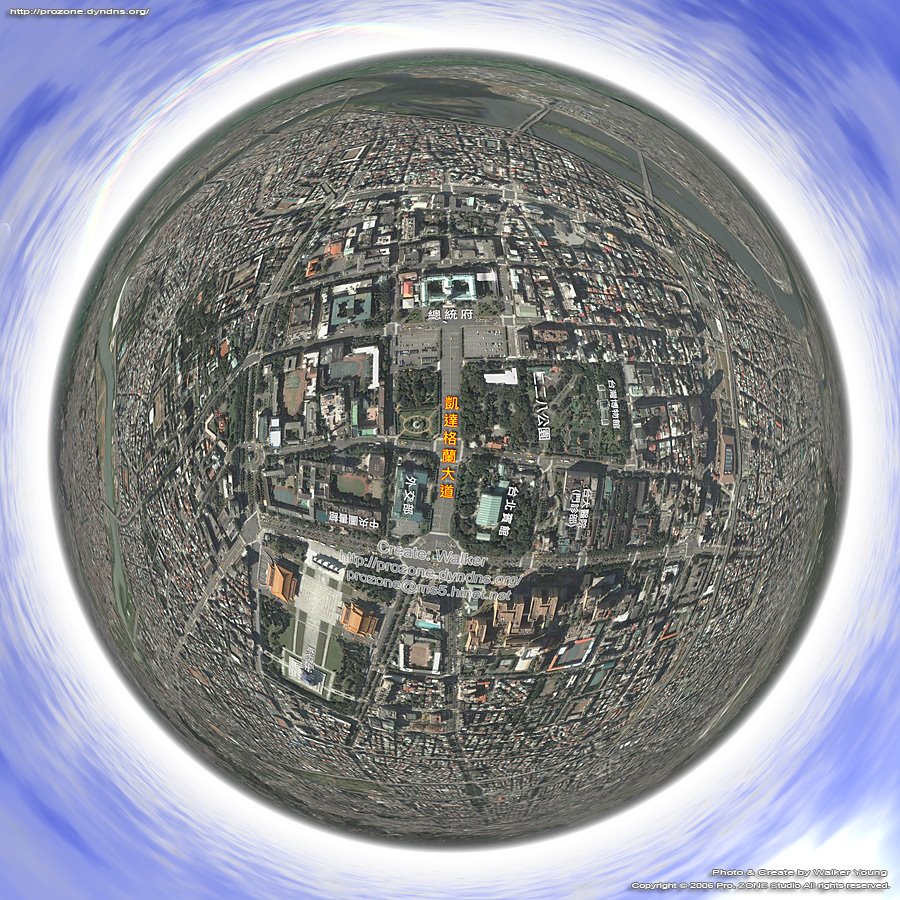
Walker Young of the Taiwan 360 VR Panograph blog has used our tutorial on creating panoramas in Google Earth for his view of Taipei in Taiwan.

Interestingly he has used a Four Seasons to create the clouds above the city. Four Seasons allows the user to replace the sky in images using the 'magic wand' tool.

There are a number of cloud settings as well as the option to place the sun/moon in the image.

You can view the Google Earth Panorama of Taipei here.

2006-09-18

Isometric Pixel Art - Simulating in SketchUp Tutorial

Pixel Art makes us smile, it provides a unique view on the world and is often used to produce pixel based towns. In general Pixel Art can be defined as anything drawn in the medium of computer pixels - these are usually created one pixel at a time at small scale to reduce the time taken to create the images.

The beauty of Pixel Art is the clean and unique image they can create, especially when moving to the isometric viewpoint. One such example is the Pixel Tower, pictured left, which demonstrates the type of image that Pixel Art creates.

Creating Pixel Art seems to be a slow process, mainly in MS Paint, drawing pixel by pixel. To understand the concept there is a great tutorial on Isometric Pixel Art by PixelFreak.

While we like Pixel Art we are not sure we have the patience to create it, especially as the majority of our work is 3D in the first place. To take a short cut, which we know will be frowned upon in the Pixel Art world, we have used SketchUp to recreate similar views. This post is out first take on the technique using the Euston Tower in London as a test.

SketchUp, as its name suggests allows simple shading and edge outlines to its 3D models. While it is not directly suited to photorealitic work, it is suited to simple Pixel Art creation. Creating Pixel Art in SketchUp is a simple 3 step process:

1) Create your model as normal in SketchUp, or download one from the SketchUp 3D Warehouse.

2) Set your camera view to 'ISO' - Isometric, this gives you the angle at which Isometric Pixel Art is created.

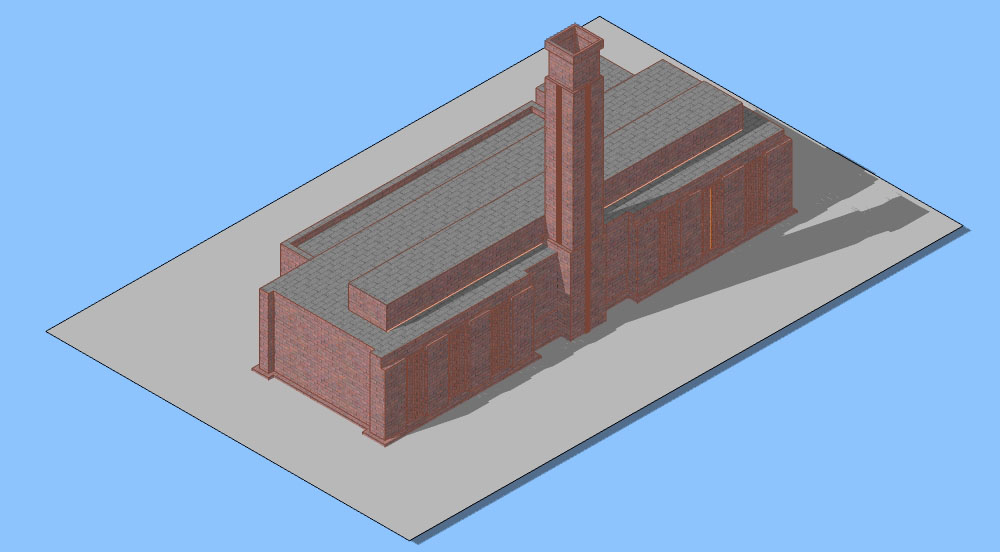
3) Select 'Camera' from the menu list and unclick 'Perspective', your view should now be similar to our Euston Tower or simple Tate Modern example as pictured below.


Using this technique you will be able to rapidly create a Pixel Art town which can of course still be viewed in 3D should you so wish.

Feel free to send us any images or SketchUp files, it would be interesting to create a SketchUp Pixel Art town..

Week Ahead

Back to work after last weeks AGI conference and this week brings a range of thoughts on creating cities and visualising urban form.

We will be posting some more Google Earth Panoramas shortly as well as a quick and easy way to create clouds in Photoshop. Also later today, if we get the time, there will be a post on PixelArt and cities, an intriguing way to draw and visualise urban form in MSPaint.

Later this week we are at a conference on Grid Computing to look at batch rendering for city visualisation and simple ways to visualise data in Google Maps. At CASA we have produced a demo of visualising GPS data in both Google Maps and Google Earth simultaneously complete with animation. We should be able to get the demo up later this week.

Finally a free piece of software to convert ESRI .shp files to Google Maps is in the pipeline from CASA and we will run a preview on this as soon as we can.

2006-09-14

AGI 2006 Conference ESRI ArcExplorer and Google Earth

A slow down on posts this week as we have been at the Association of Geographical Information 2006 conference presenting a paper on our use of Goolge Earth in Local Government. Of note, although sadly we missed the session on Google Earth due to other work, is that Google Earth is planning to include a 'Time Line' feature which should allow some level of animation.

ArcExplorer looks like its heading for a December release with full functionality based on a Arc backend server. So any GIS functions such as 'line of sight' etc seem to centre on you owning a ESRI server license. We assumed ArcExplorer would be GIS for the masses but if its only GIS as long as the data providers run a Arc server (?).

From talking to various data providers and users at the conference the consensus is that they also need to get some people to work on the look and feel of the user interface as at the moment its a bit clunky and does not compare well to Google Earth.

On a positive note about ArcExplorer though its looking like it will be released without any usage restrictions so companies and local government can use it free of charge. This is obviously not the case with the free version of Google Earth which is only for 'personal use'.

2006-09-12

London Bus Panorama (Top Deck)


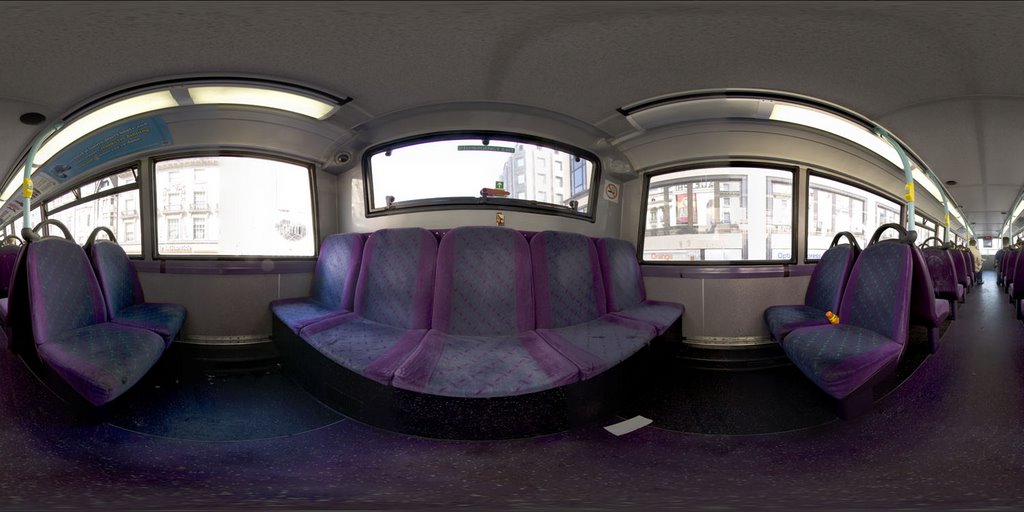
Experience the glamour and luxury of the transport we use at Digital Urban to capture our London data with our new Top Deck of a London Bus panorama. Note the luxury seat covers and deep set grime from a bus that doesn't look like it has been cleaned in months.


Still, its only 80p a ride so you cant expect much...

2006-09-11

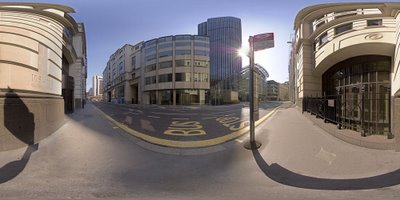
Tower 42 London Panorama

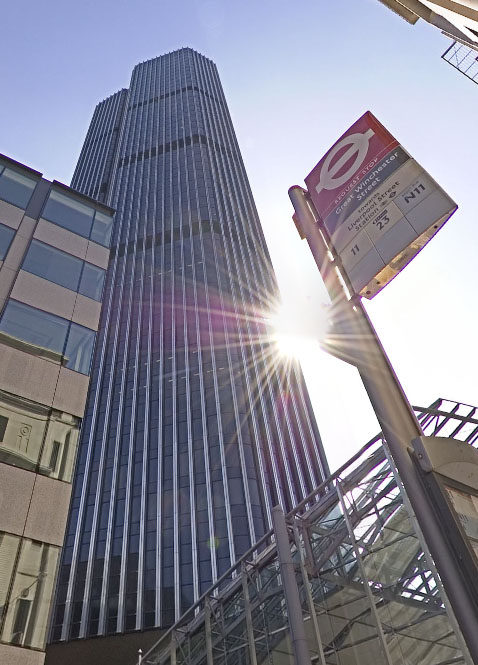
Tower 42 is the tallest building in the City of London at 183 metres compared to 179.8 metres for its neighboring 30 St Mary Axe.

Built in 1980 by Architects Seifert and Partners, Tower 42 was originally home to the Natwest Bank with rumours that its unique shape mirrored the Natwest's logo at the time. This seems to be however an urban myth, the building is now an office complex with a restaurant on the 42nd floor offering views of London.


The panorama is captured using the same bracketing technique as the previous Swiss Re image.

We also feature Tower 42 in Google Earth as a 3D Model, you can read the post on it and download the KMZ from here.


You can view the panorama in QuickTime VR (3.4Mb).

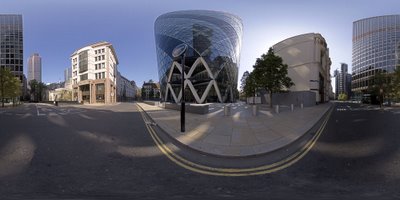
Swiss Re, London, High Dynamic Ranging Panorama

The Swiss Re building, more formally known as 30 St Mary Axe, was completed in 2003 and officially opened in 2004. At 180m its inspiration can be traced back to the Willis Faber and Dumas Headquarters built in 1975 by Fosters and Partners.

The panorama is captured using High Dynamic Ranging, known as HDR, based on 21 photographs from a single nodal point. Bracketing is used to under and over expose each location, resulting in 3 images per 'click point' on the panorama.

Combining these images, prior to stitching, provides a wider range of shadow depth and balanced lighting compared to normal exposures. This is especially important in panoramic imaging due to the range of light levels across a scene.


The panorama can be viewed in full screen via the QuickTime plugin, allowing you to look around the scene in 360x180 degrees at high resolution (2.9Mb)

2006-09-09

Panoramas of Games - Second Life, Half Life, Call of Duty and more


With our recent panoramas from Google Earth a site caught our attention (thanks to Frank at the Google Earth Blog) that has used the same technique to capture panoramas from games.

Panogames.com features panoramas captured from a number of games and is well worth a browse, its so good we spent a good couple of hours on the site.

The concept is as usual simple, load up a game and capture a series of screen shots to stitch from. Our tutorial on Google Earth panoramas explains the technique which can be adapted to any number of games. Some games require modification to edit out the player, such as in Half Life, but others can be grabbed 'out of the box'.

Our favourite at the moment are the panoramas of Second Life, genius...

2006-09-08

Sydney Olympic Site Panorama - Google Earth


'Smooth' from Smooth360, one of Australia's premier panorama photography businesses, has used our tutorial to create a view above the Sydney Olympic Site at Homebush, Australia.

You can view the panorama in Quick Time VR from here.

As ever which these images the output is impressive, the list of cities covered is growing, currently standing at:

London, New York, Moscow, Belgium, Paris and Syndney.

Yellow Pages in 3D

Visualising Cities over the web has concentrated recently on Google Earth, especially now version 4 supports textures. The problem with texture usage is slowdown and this is clearly evident in Google Earth when you load in even a small number of buildings.

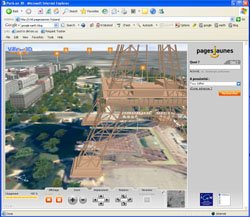
The French Yellow Pages has just launched their own beta application featuring 3D streaming of Paris and its impressive. Running in Shockwave 3D it features basic textures on buildings - normally a single texture cloned along each facade - and simple roof structures. The roofs are mapped from a air photo and this adds considerably to the sense of place in the model. Another interesting addition is the use of 'billboards' for trees along the streets.

The question is that although we are all about visualising the city, does it aid navigation in terms of a Yellow Pages? We would argue that applications such as Google Maps are better suited to finding services in cities, possibly a view that goes against the point of the blog but having used the Paris model we don't think we would have the patience to search and navigate in 3D. This is mainly due to the slightly slow loading times and framerates.

So the question is - is it eye candy or does 3D actually add to the Yellow Pages?

Thanks to Frank of the GEarth Blog and Gaby for the pointers to this. Franks GEarth Blog has an interesting post on this topic with regards comparisons with Google Earth.

2006-09-07

Google Earth Above Paris Panorama


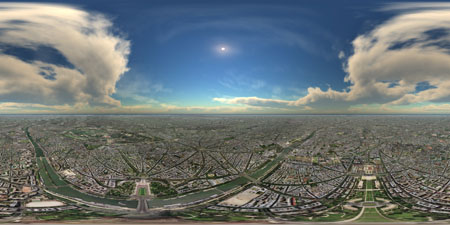
Thanks to Gaby's kmz tool - see the newly updated tutorial it is now considerably easier and quicker to create panoramas in Google Earth. We have produced a view over Paris, which took approximatly 40 minutes, you can view the panorama from here (2.9Mb).

New York Google Earth Panorama


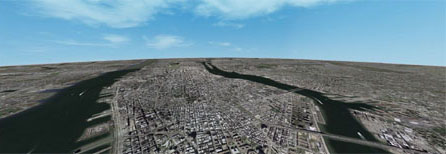
Bruno Vandermarliere of Ommatidia, a QuickTime VR production company located in Antwerpen, Belgium, has sent in a panorama of New York created by Google Earth and the result is stunning.

You can view the panorama from here.

If you want to create your own you can follow our tutorial...

Panoramas submitted so far cover London, New York, Moscow, Belgium and Paris.

Above Moscow Google Earth Panorama

Moscow A couple of more panoramas have been created of Google Earth so far today, first up is a unique view of Moscow by Andrey Ilyin. Andrey of the Moscow Panorama Service is known amongst the panoramic community for his exploits climbing on top of various Churches in Moscow and capturing some stunning images, many of which can be found on his website.

You can view the panorama of Moscow from Google Earth here , if you would like to create one yourself just follow our tutorial.

Coming later is a Google Earth Panorama of New York by Bruno..

2006-09-06

Using Google Earth as a Panorama Viewer


*Edit - Kmz link now fixed - *

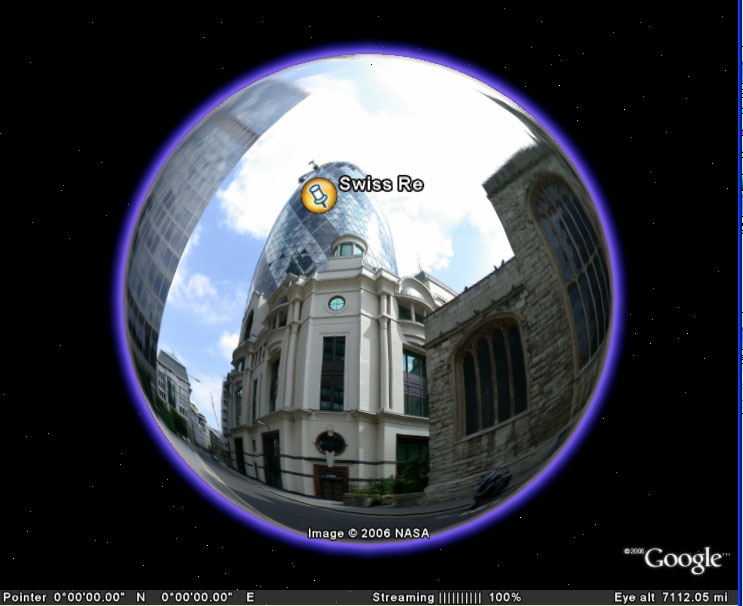
While capturing screengrabs for our tutorial on creating panoramas from Google Earth we got thinking that you could use the Earth itself as a panoramic image viewer.

All of our panoramas on the blog cover a 360x180 degree field of view - ie a sphere. By adding a new Google Earth overlay you can load a panoramic image and wrap it around the globe, thus allowing you to use the Earth as a viewer.

As its Google Earth you can then add placemarks to navigate to buildings of interest, in our case the Swiss Re and Lloyds buildings in the City of London.

Of course this is not all that practical, but it works... To try it out yourself download our kmz file and take a look at the panorama of the City of London, or edit the image path and load up your own panoramic view...

Thoughts or comments are as ever welcome.

Google Earth Belgium Panorama


Bruno Vandermarliere has used our tutorial on making Aeiral Panoramas from Google Earth to create a view of Belgium. Its worked well and you can view his panorama from here. Bruno questions the issue of copyright on creating these panoramas and to be honest we are not sure....

2006-09-05

How to Create an Aerial Panorama from Google Earth


Peter Murphy (one of the leading lights in the panoramic world) sent us a email on Monday with the thought of creating panoramas from a Digital Earth. The concept is simple - grab a series of screen shots while rotating above the earth and then stitch the images as if they were normal photographs.

A day is a long time in Internet based tutorials and this is now an update of the original as a result of Gaby, a digital urban reader, writing a kmz tool to dramatically simplify the process of capturing screen shots. The whole process should take approximately 40 minutes.
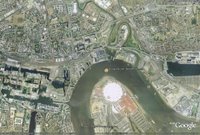
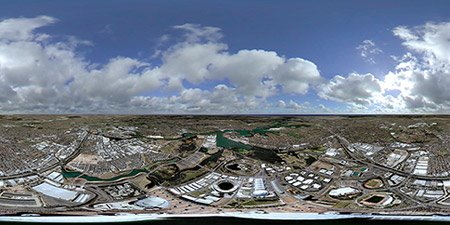
The first step is to go to Gabys Kmz Panorama Capture Tool and type in the Lat/Long of the location you want to capture - in our case above the Millennium Dome in London.

To create panoramas it is important to rotate the camera around the nodal point of the lens in order to minimise any parallax error as the scene is captured. Previous to Gaby's tool the best way was to use the 'Flight Simulator Mode' by clicking 'Ctrl-G'. Combining this with a 'left mouse click and drag' action you can look around the scene and thus simulate a panoramic camera.

You can now simply load up the kmz file which is output from your Lat/Long co-ordinates and a series of placemarks are presented in the Google Earth, each representing camera locations. Select each placemark and wait for the streaming in Google Earth to reach 100%, now use File - 'Save Image' and call your image image1.jpg. Go through this for each placemark and you should end up with 28 images, each saved in sequence - ie image 1.jpg to image 29.jpg.

Once you have your numbered screengrabs you now need to stitch them, we used Stitcher from RealViz, you can download a trial version from the RealViz website. If you are a PTGui user we have created a Template to automatically stitch your images. Download the Template and follow these steps:

1) Open PTGui and click Select Source Images - Navigate to where you saved your screengrabs and select all of them.

2) A Camera Lens Dialoge will appear, simply click 'Cancel'. Your images will then load into PTGui.

3) Click File 'Apply Template' and select the location of the GoogleEarthTemplate.pts saved from above.

Your images will now automatically align, you can now complete the process by selecting the 'Advanced' button in the top right hand side of PTGui and then 'Create Panorama'. Save your panorama as a Tif, we normally output at 6000x3000 pixels. Advanced users of PTGui can add their own Control Points and stitch as normal, lens parameters should be 30mm Rectilinear.
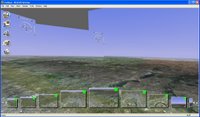
To stitch the images you can also use the AutoStitch feature of RealViz to simply load in the images and automatically create a panorama. It should be noted that the curve of the earth will not stitch perfectly due to parallax error resulting from the Flight Simulator mode of Google Earth, the image left illustrates this (click for a larger version).

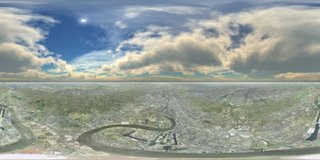
Fixing the parallax's error is simply a case of slightly cropping off the top of the resulting panorama to give us the image as below, this applies to both PTGui and Realviz Stitcher outputs:
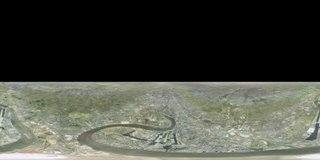


As Google Earth doesn't include clouds we can now add them in as a new layer in photoshop. We used a panoramic image of clouds from TurboSquid, these used to be free but are now $5 each. If you don't have a cloud panorama then you can always create your own using Terragen, there is a great tutorial on how to do this here.

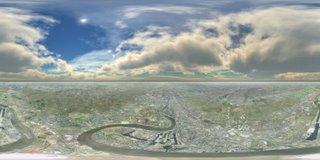
Adding the clouds gives you the final panorama over London (click for a larger view) :

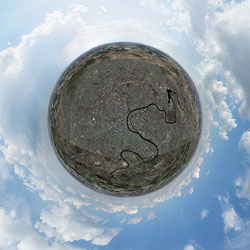
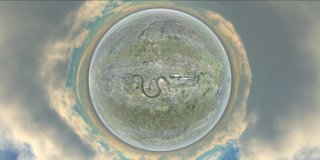
Changing the projection of the resulting image allows a number of views such a hyperbolic image of London from Google Earth:


Finally to create a Quicktime Virtual Reality scene from the image - so you can look around the panorama - download Pano2QTVR.

The resulting QTVR can be viewed here (2.8Mb).

Of note in the final scene is how the Google copyright crops up in various places in the image. This is due to each screengrab containing the Google overlay and depending on the overlaps some are automatically blended out in RealViz and some remain... *update - using PTGui all copyright seems to be removed, this opens up the question on the legality of creating panoramas? *

Peter has used NASA's Worldwind to the same effect, see here for his panorama of the Southern Highlands (Quicktime format).

If you create any panoramas using Google Earth we would love to hear from you...

Panoramas submitted so far cover
London, New York, Moscow, Belgium, Paris and Sydney.

2006-09-01

Collaborative Maps via EditGrid

Creating your own maps via Google Maps is getting easier by the day. Using the online spreadsheet EditGrid it is possible to simply enter Longitude and Latitude alongside a placename and view the data via Google Maps.

The Spreadsheet, copied below, is 'live' and can be edited by anyone clicking this link. If you open the spreadsheet and enter your own message/placename along side Longitude and Latitude it will instantly go live to the Google Map (remember to click 'Done' in the top right hand corner after you have entered the data).


As little as a year ago the ability to collaboratively add geographical data via the Internet was a pipedream. We are now able to not only add data and tags but view them instantly anywhere in the world to street level via Google Maps.


The pace such developments are moving is astounding. Geography is suddenly back on the agenda..

Thanks for the pointer to this goes to Digital Geography, its nice to see Digital techniques being used for Geography in the Classroom.