Pixel Art makes us smile, it provides a unique view on the world and is often used to produce
pixel based towns. In general Pixel Art can be defined as anything drawn in the medium of computer pixels - these are usually created one pixel at a time at small scale to reduce the time taken to create the images.
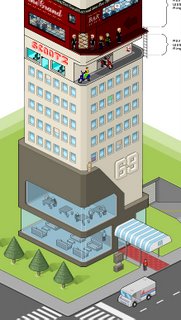
The beauty of Pixel Art is the clean and unique image they can create, especially when moving to the isometric viewpoint. One such example is the
Pixel Tower, pictured left, which demonstrates the type of image that Pixel Art creates.
Creating Pixel Art seems to be a slow process, mainly in MS Paint, drawing pixel by pixel. To understand the concept there is a great tutorial on
Isometric Pixel Art by
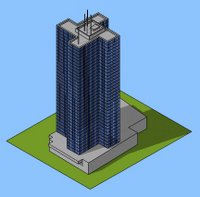
PixelFreak.While we like Pixel Art we are not sure we have the patience to create it, especially as the majority of our work is 3D in the first place. To take a short cut, which we know will be frowned upon in the Pixel Art world, we have used SketchUp to recreate similar views. This post is out first take on the technique using the Euston Tower in London as a test.
 SketchUp
, as its name suggests allows simple shading and edge outlines to its 3D models. While it is not directly suited to photorealitic work, it is suited to simple Pixel Art creation. Creating Pixel Art in SketchUp is a simple 3 step process:
1) Create your model as normal in SketchUp, or download one from the
SketchUp 3D Warehouse.
2) Set your camera view to 'ISO' - Isometric, this gives you the angle at which Isometric Pixel Art is created.
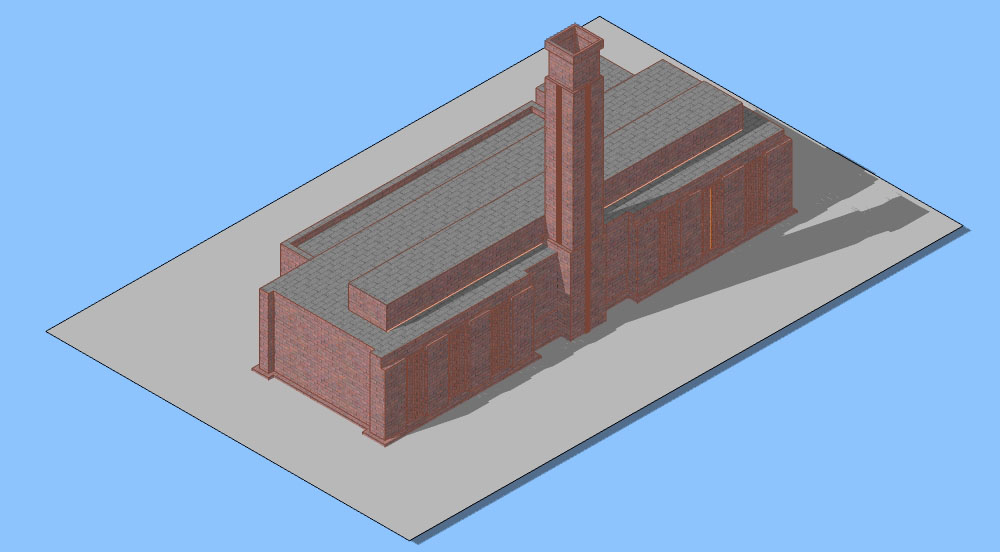
3) Select 'Camera' from the menu list and unclick 'Perspective', your view should now be similar to our Euston Tower or simple Tate Modern example as pictured below.
Using this technique you will be able to rapidly create a Pixel Art town which can of course still be viewed in 3D should you so wish.
Feel free to send us any images or SketchUp files, it would be interesting to create a SketchUp Pixel Art town..